Introduction
Staffing operation users need to handle many different tasks throughout their days. Their primary goal is to make sure workers show up and meet or exceed the expectations of their clients. There are many activities that are necessary to support this successfully.
Proposed Solution
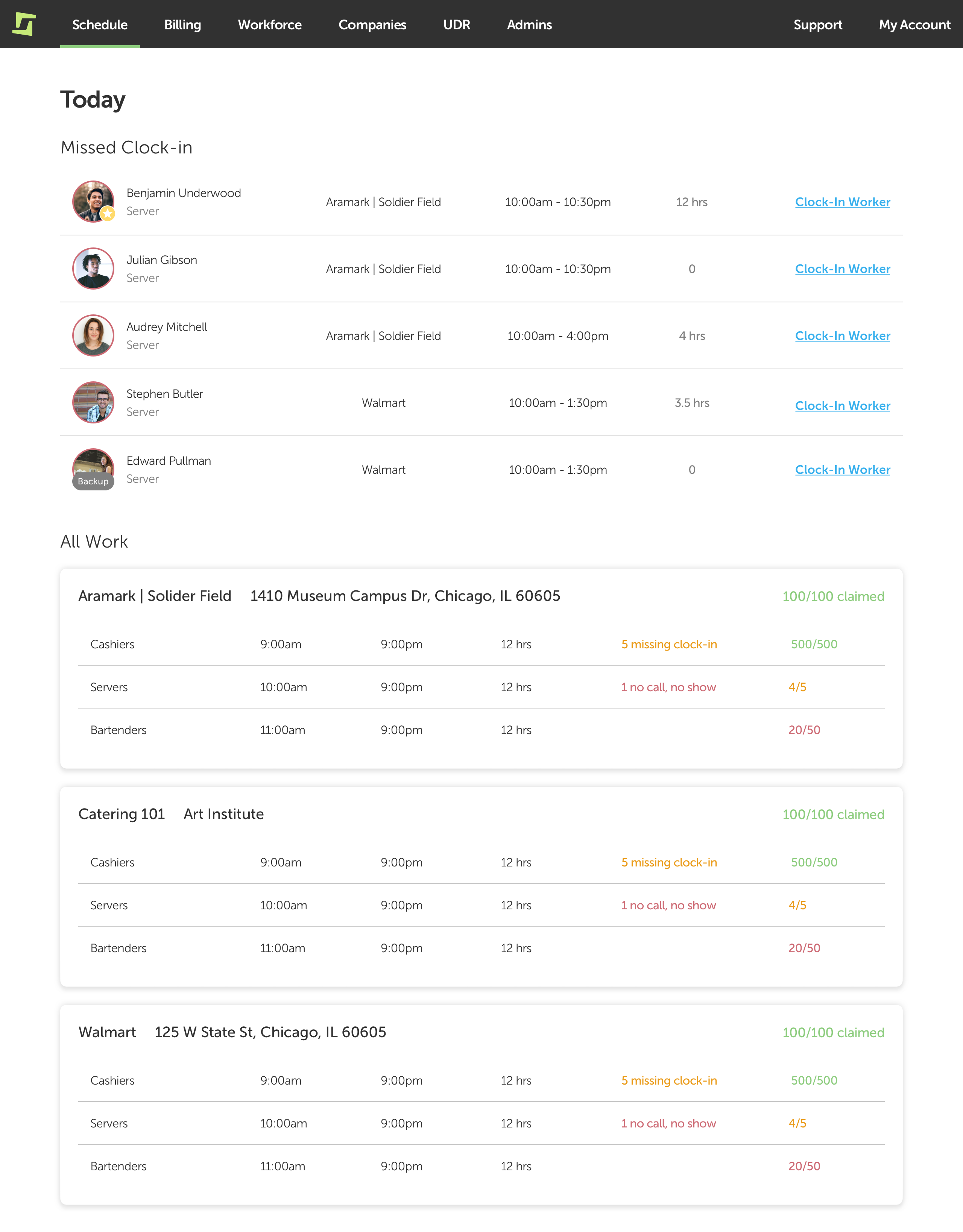
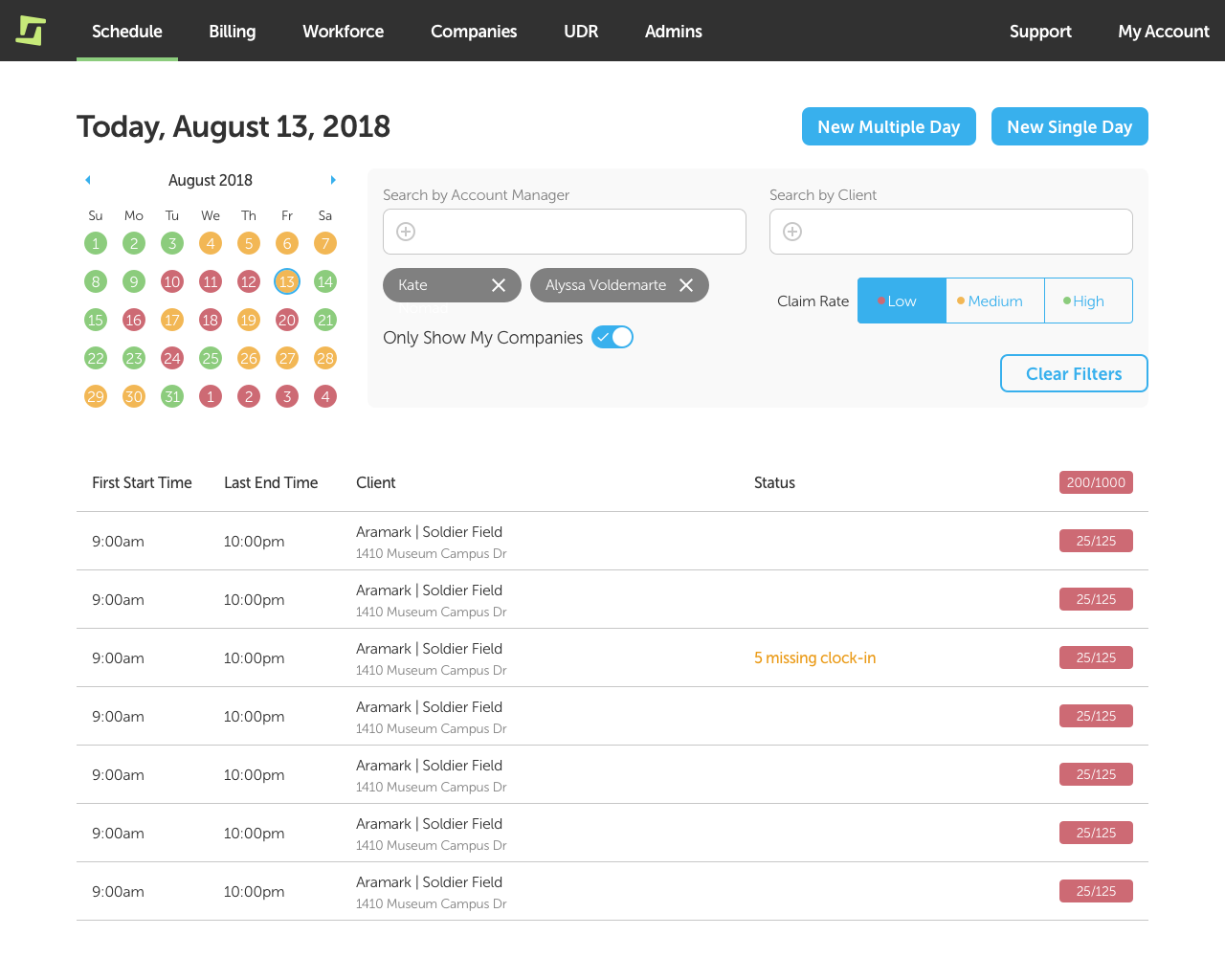
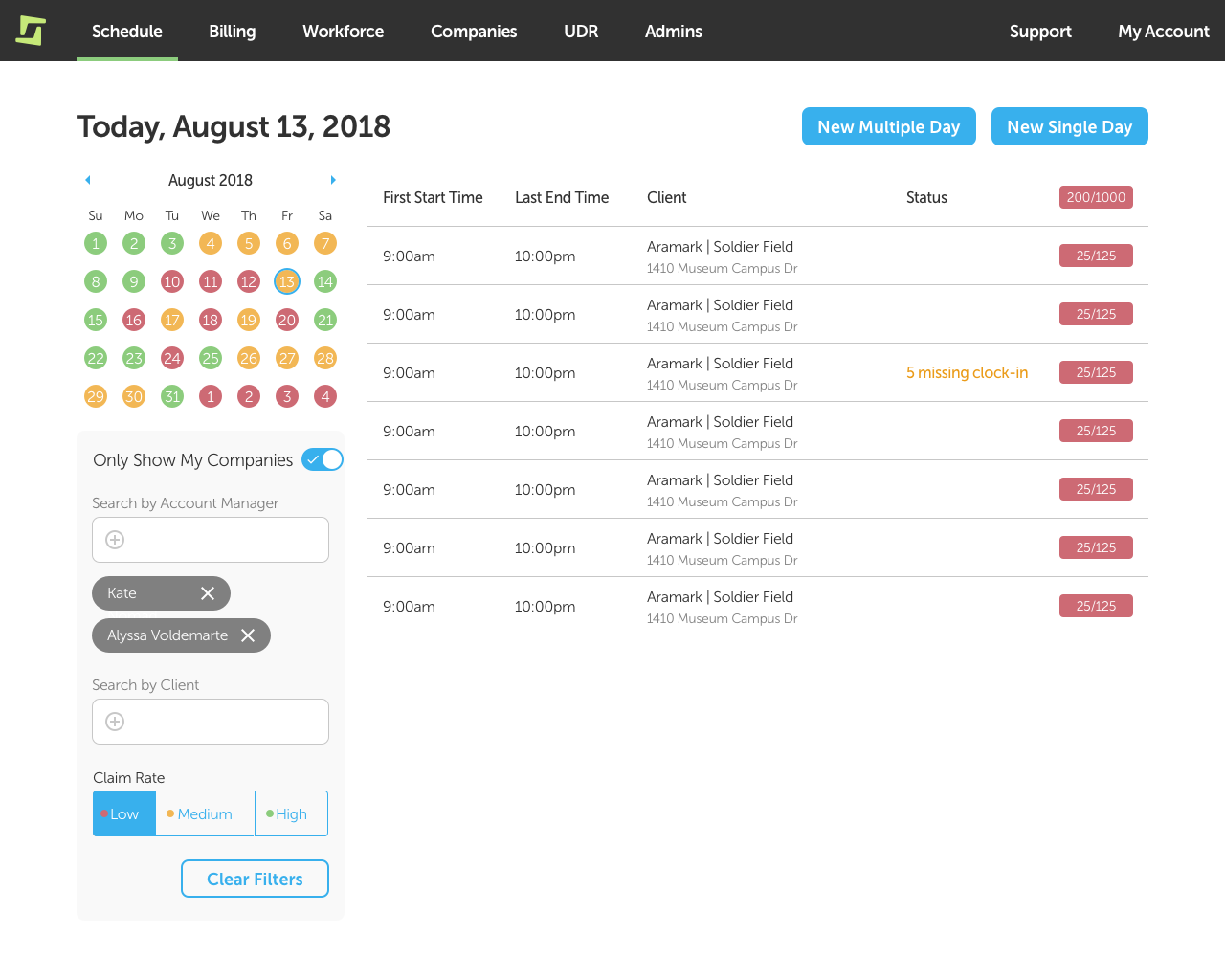
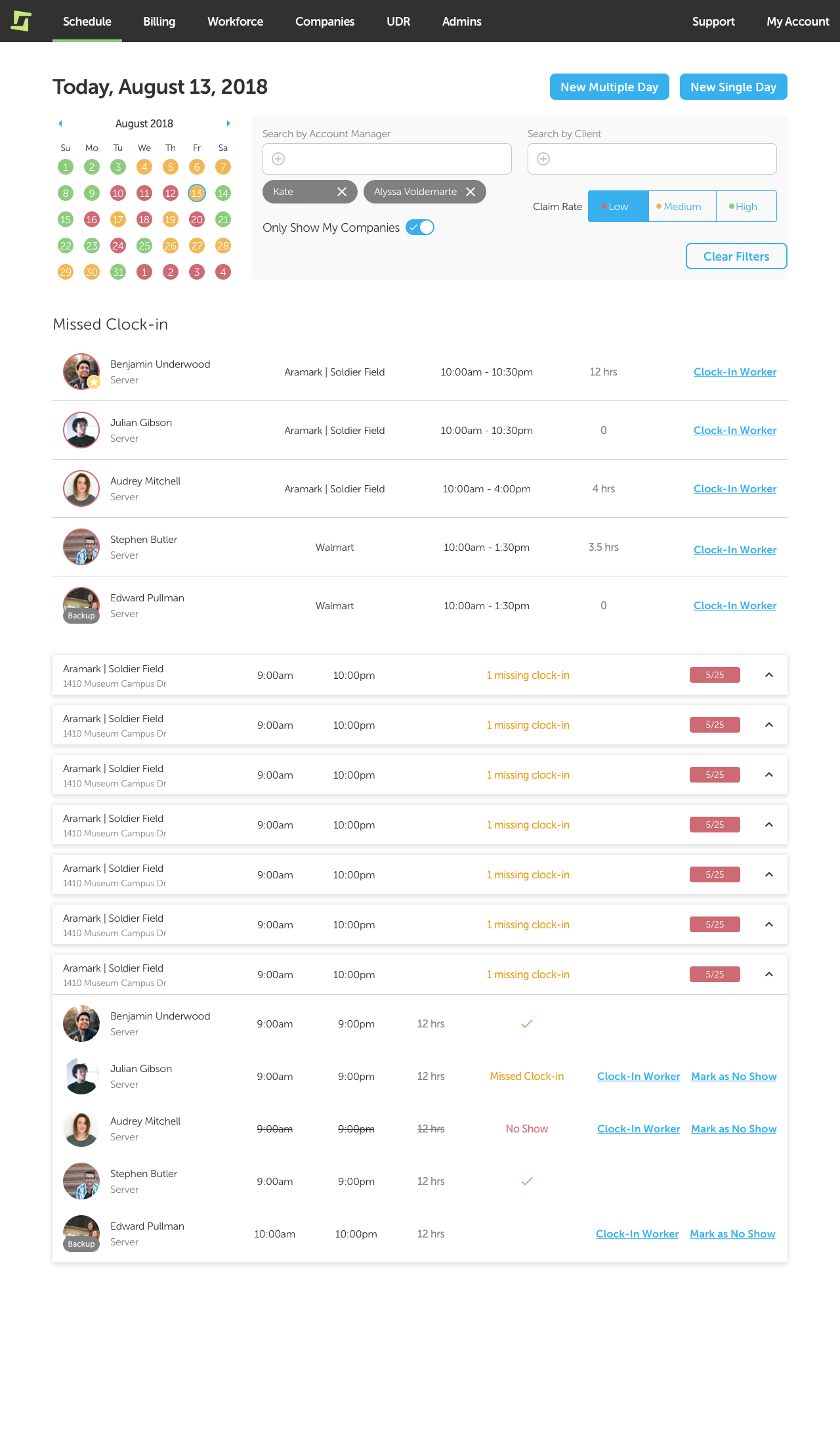
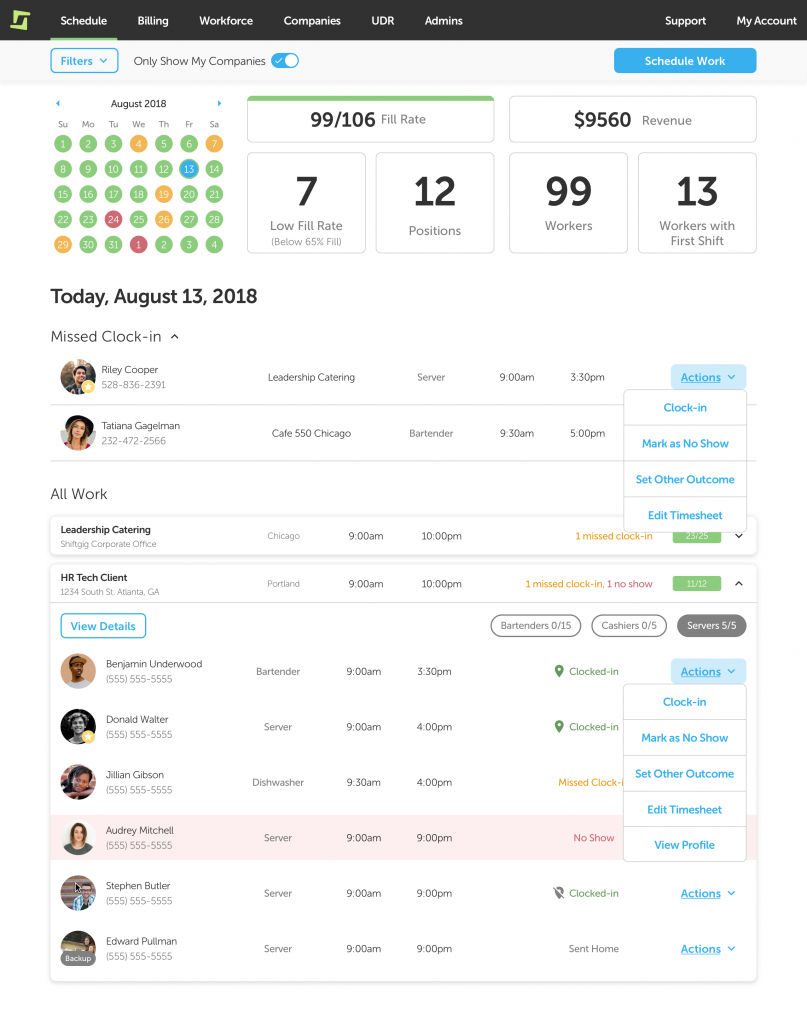
A new homepage focused on answering the question “What do I need to do to make today successful?”. The goal of the solution was to provide visibility to what issues needed attention while giving quick access to small actions or easy navigation to the appropriate features.
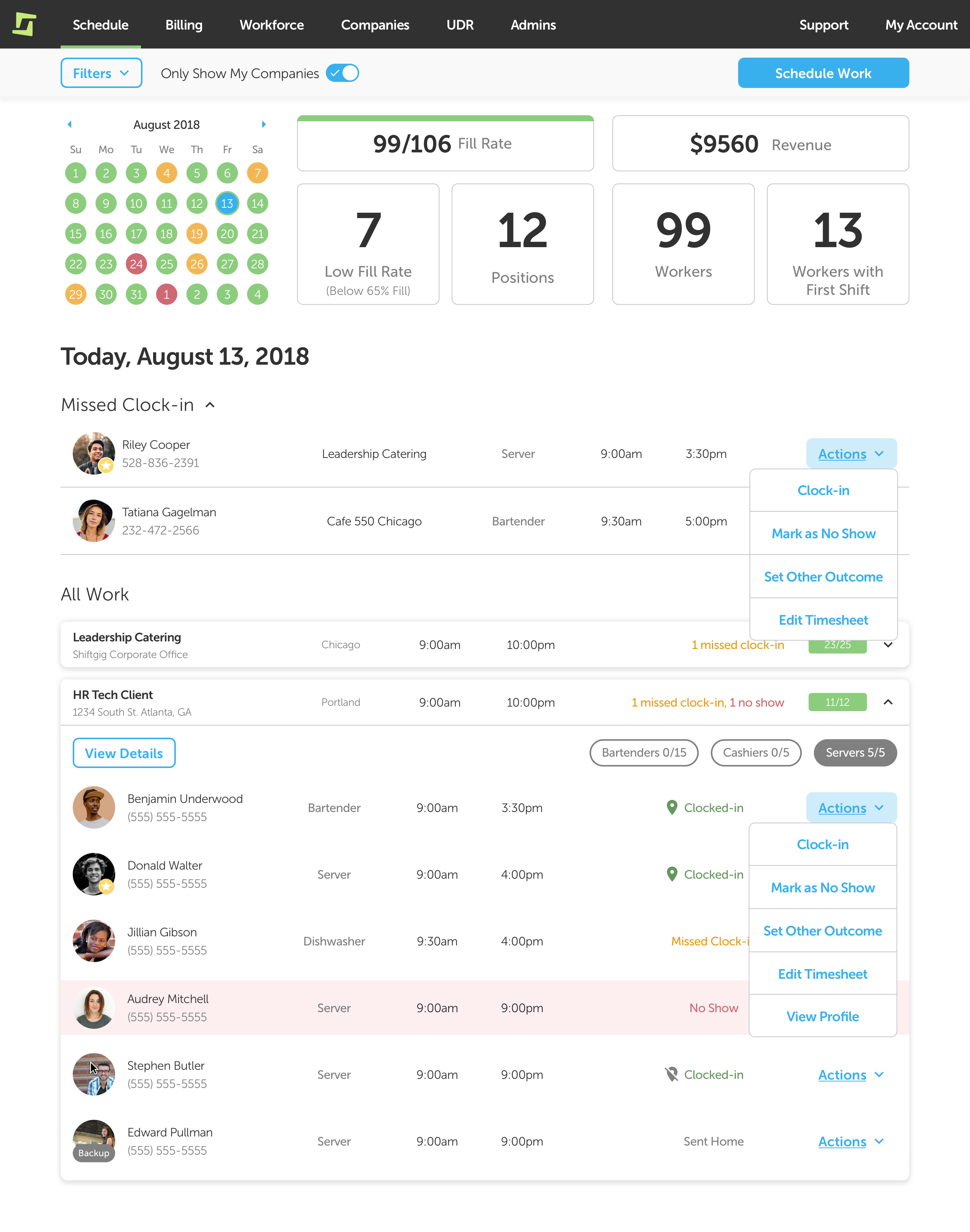
Outcome
- Increased customer satisfaction
- Created a customer review process for visibility of product development progress
- Fastest adoption of redesigned operations software
Highlights
- First project with a prospective client and multiple contextual inquiries to uncover the problem space, which heavily influenced that quick prioritization and roadmap shuffle.
- Start of a new web design system and technical update of the operations web app codebase.
Process
Discovery Phase
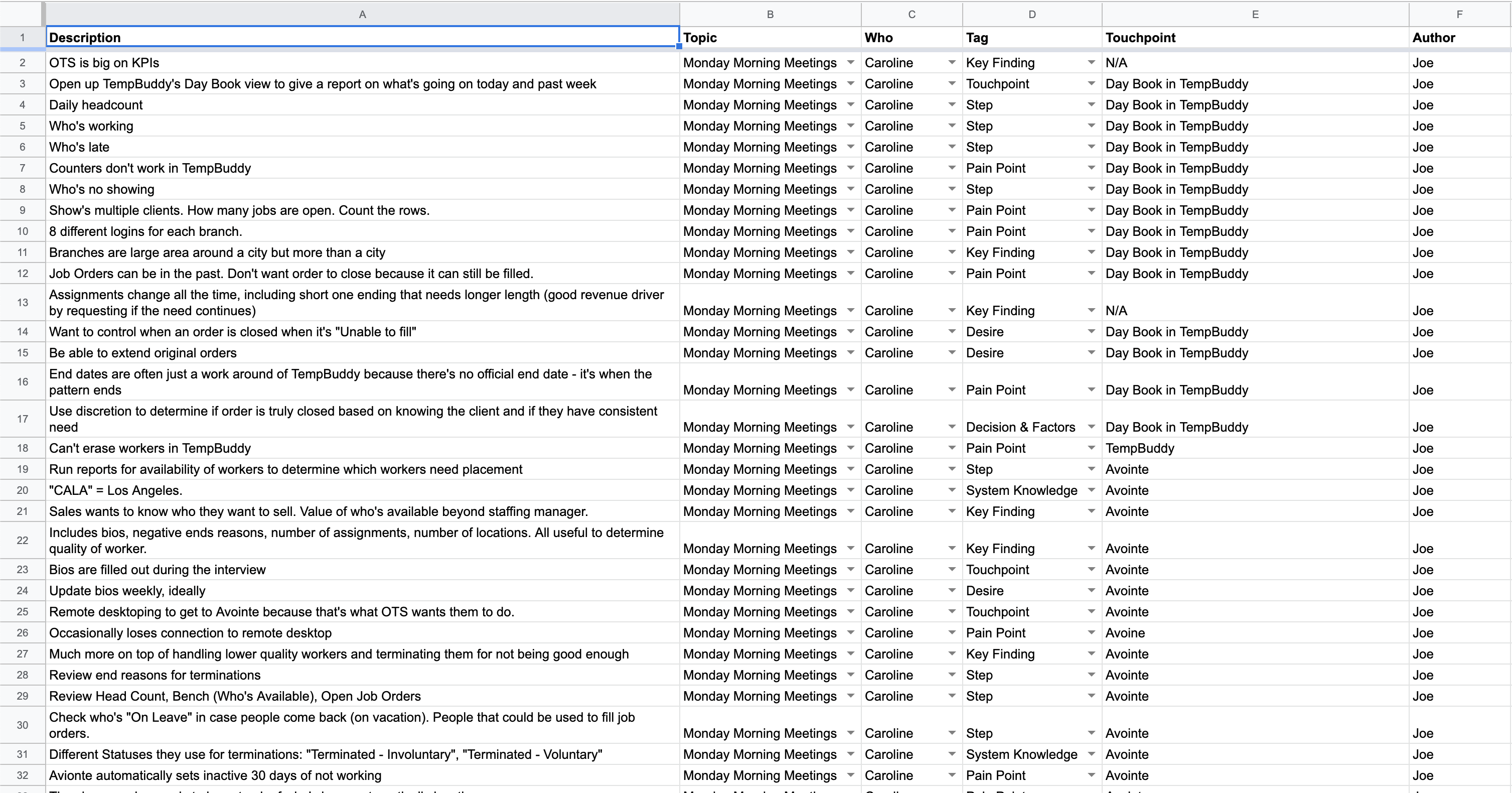
Conducted on-site contextual inquiries with multiple staffing operations users of a prospective customer and internal operational users. I created an agenda to cover key aspects of their workflow but let them lead the session. I shadowed the prospective customer users for two full days while the internal operation users were shadowed for 1-hour sessions.
Definition Phase
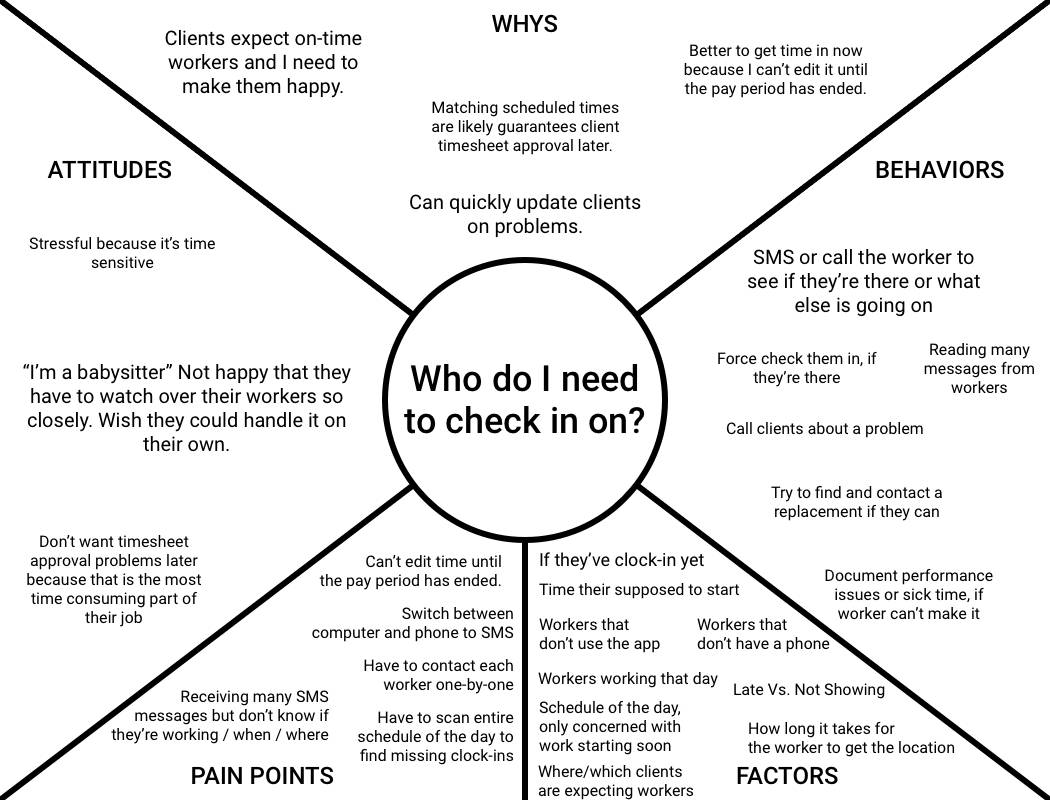
The core pains synthesized from discovery:
- Don’t know what the most pressing thing is.
- Lack of visibility of what’s happening in real-time.
Exploration Phase
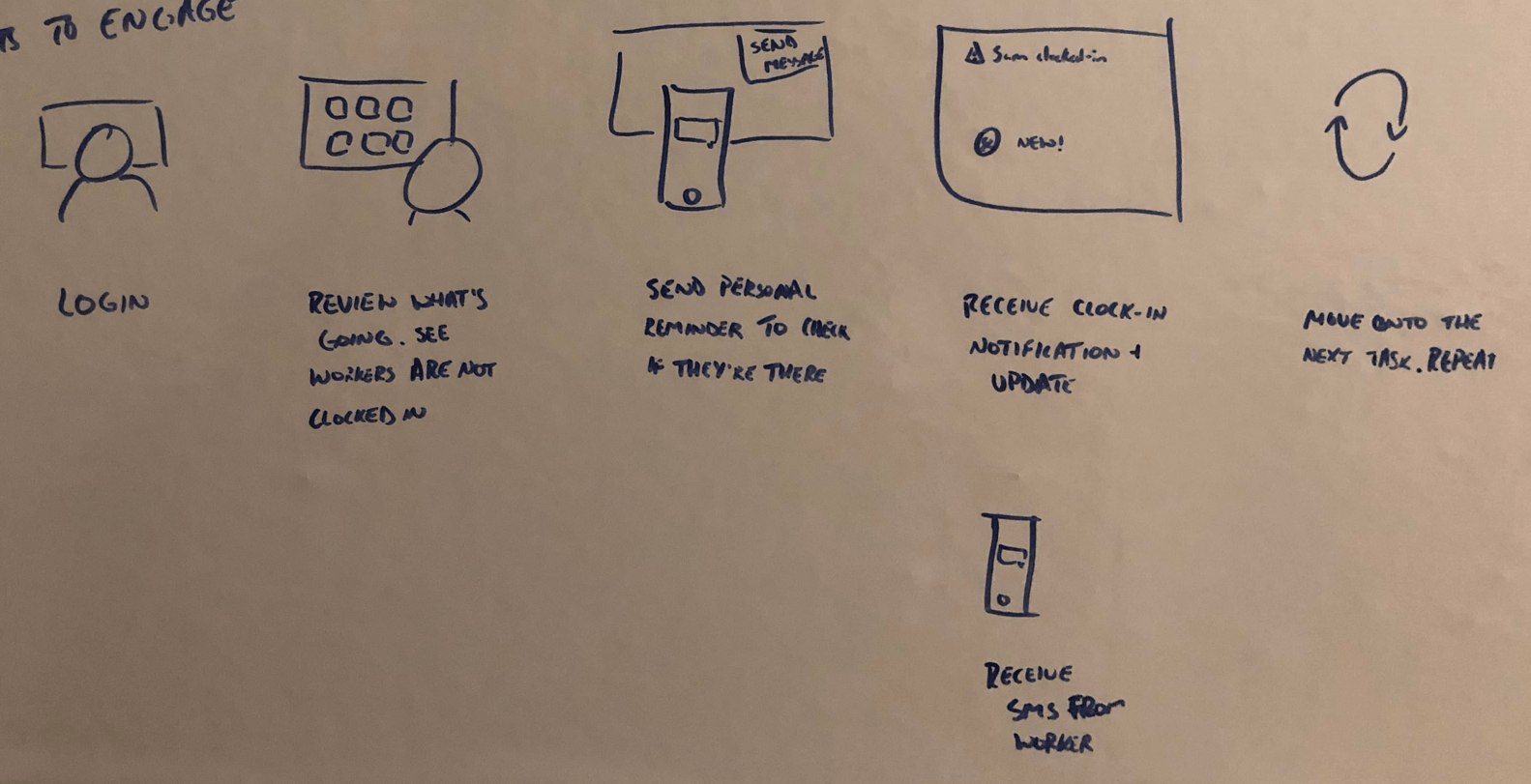
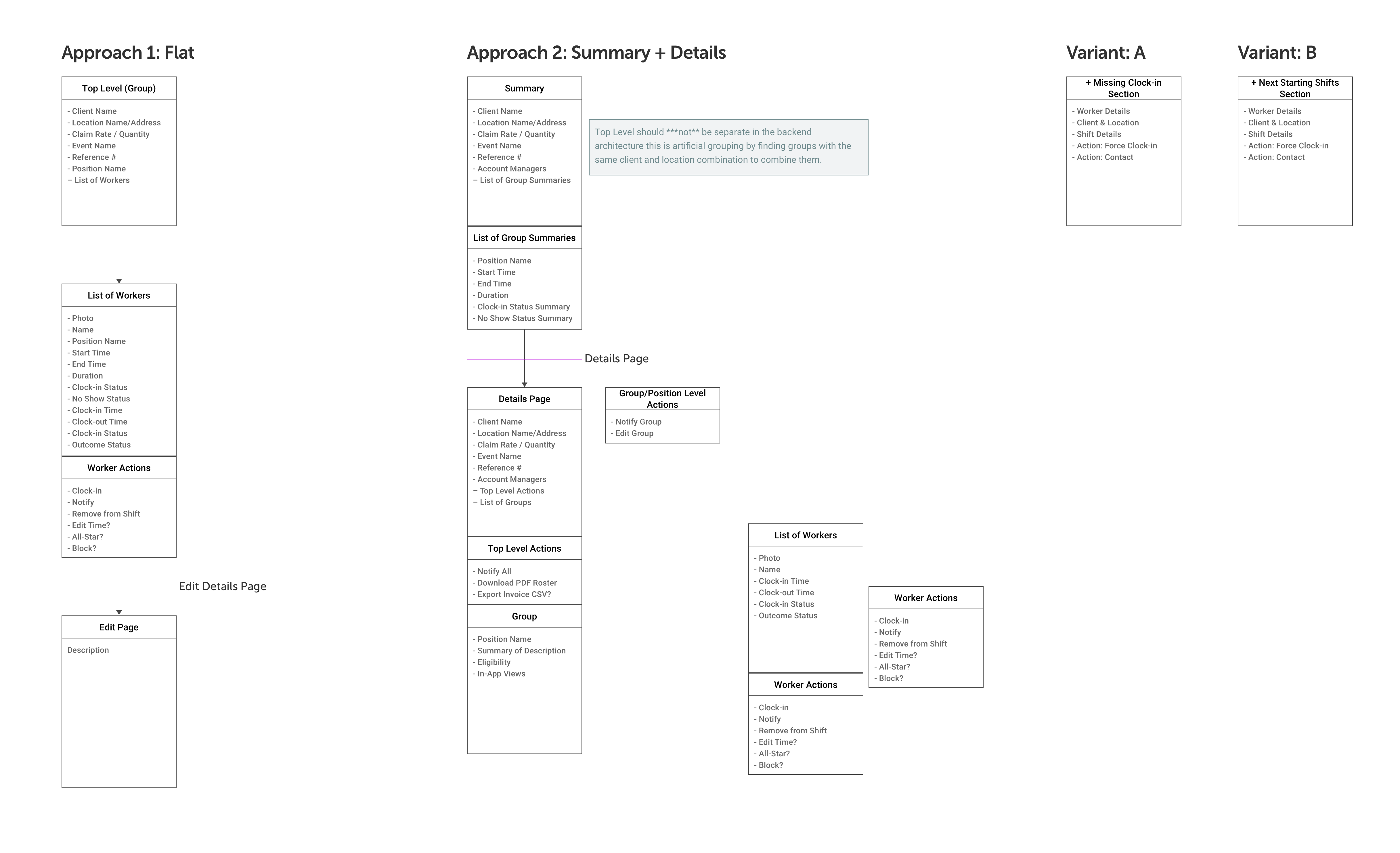
Explored multiple information architecture approaches, interaction models for filters, and data visualizations.

Decision Phase
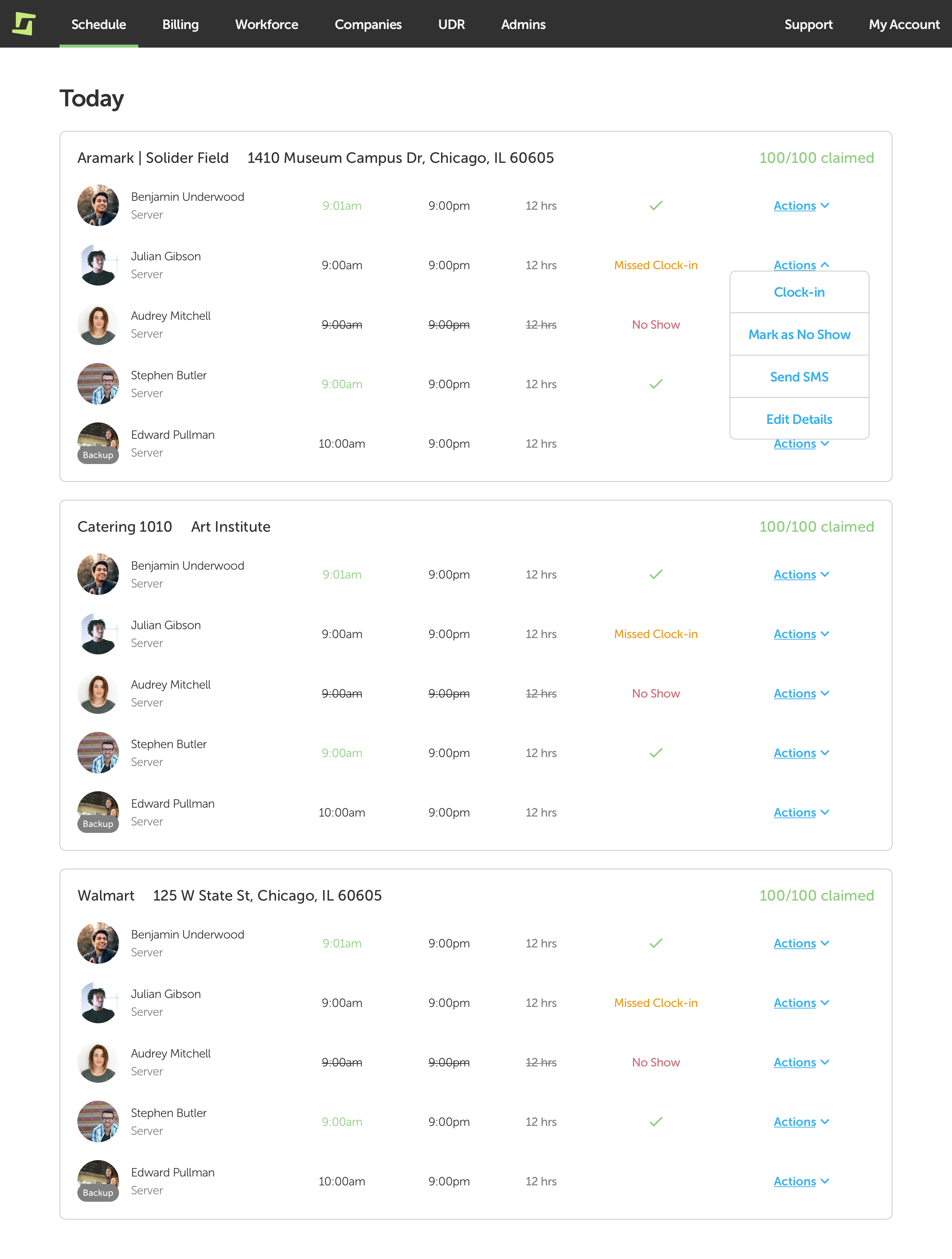
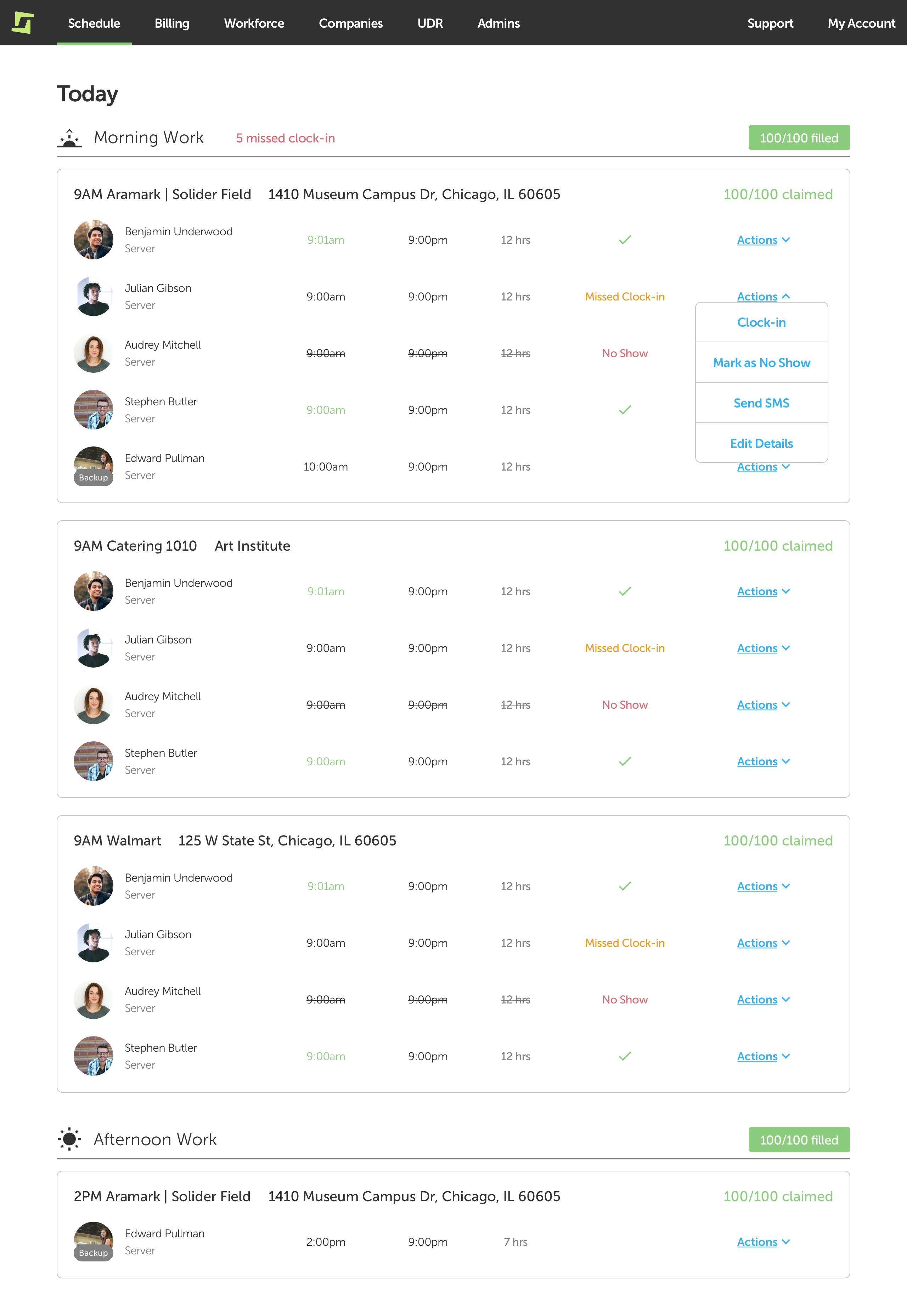
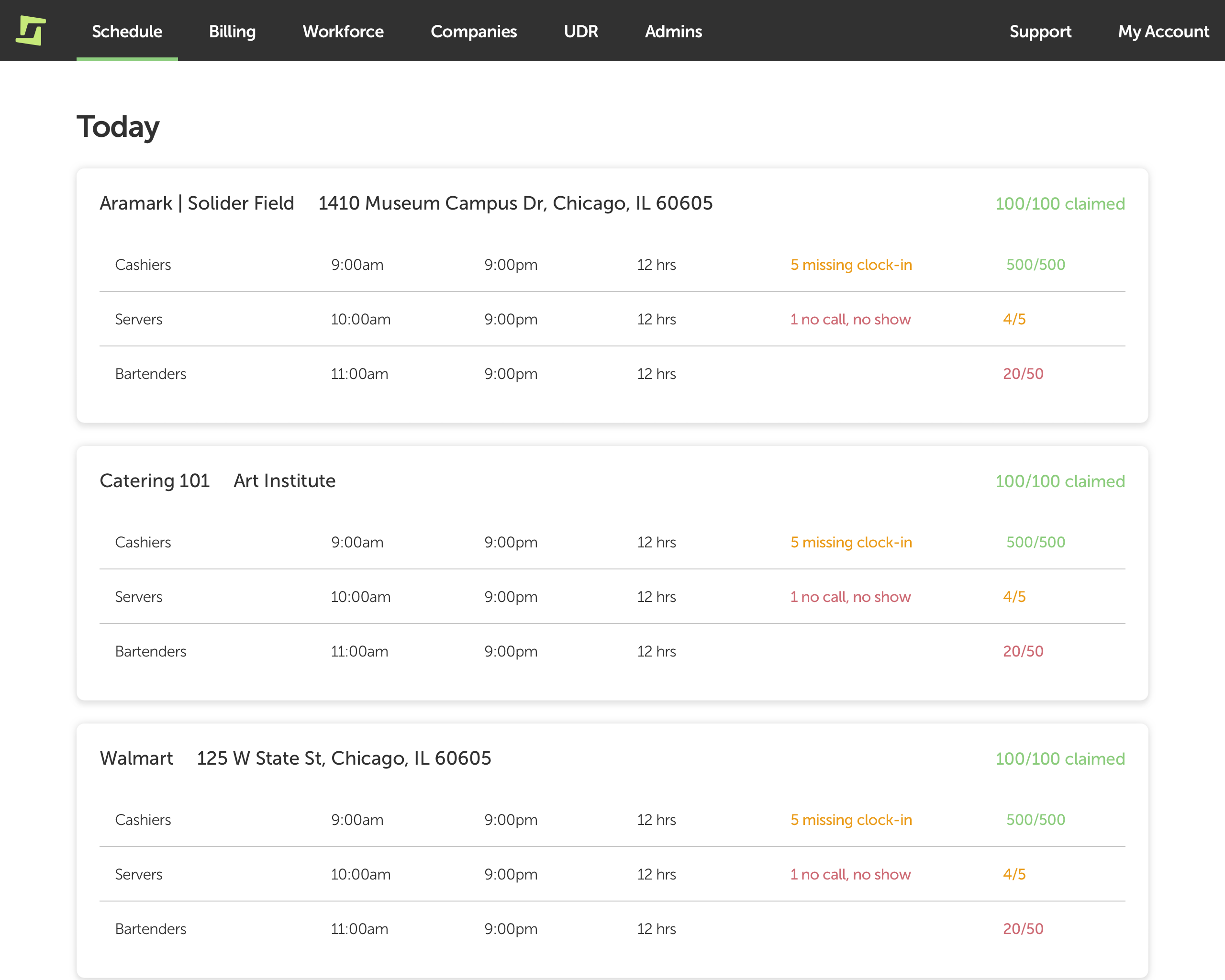
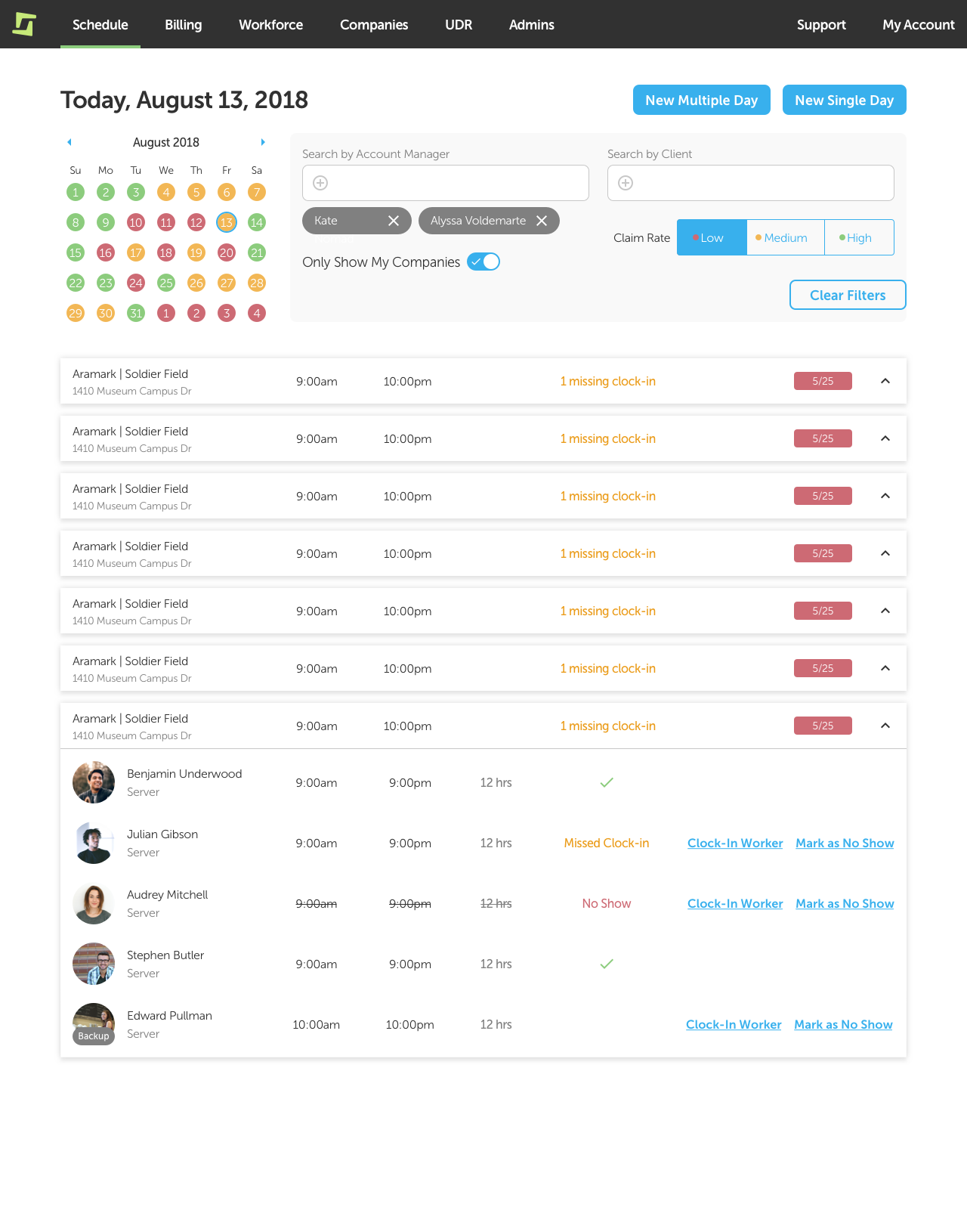
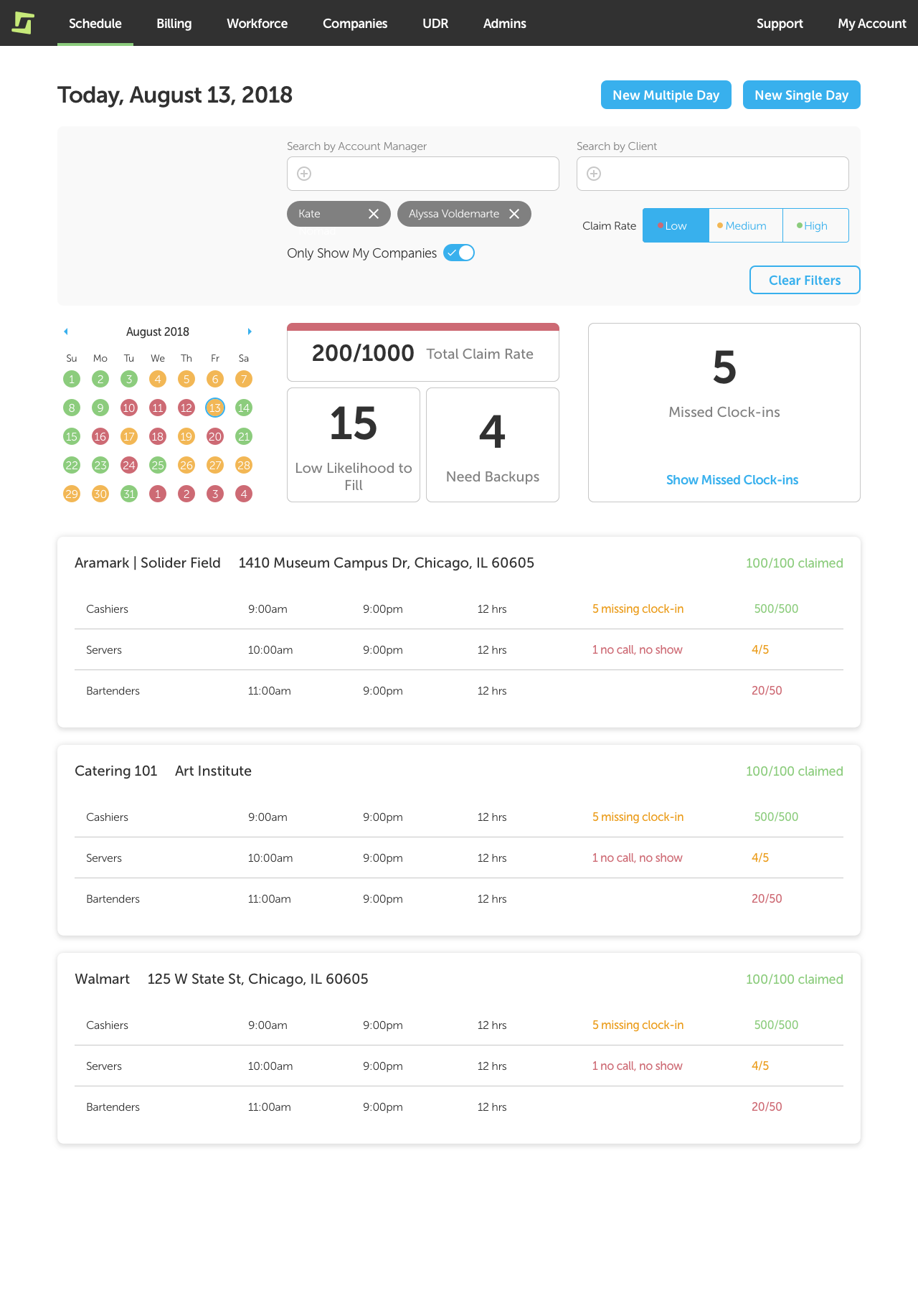
Ran two rounds of usability test with iterations in between.
Round 1
Round 2
Stakeholder Review
Reviewed work with customers during weekly meetings to get feedback and demonstrate progress.
Delivery Phase
Lessons
- Make data actionable. While the data summary was a highly valued section of the page, it went against our principles of making an actionable page because it was only informational. Post-release we received a lot of support tickets requesting the ability to filter by the data points.